If you’ve been diving into the world of Roblox script execution, you’ve likely heard the buzz about Delta Executor. It has quickly become a household name in the gaming community, celebrated for its powerful Level 8 execution capabilities and its seamless transition from mobile to PC . But there is a gatekeeper that often confuses newcomers: the Delta Executor key. This isn’t just a random password; it is the verification system designed to keep the tool functional and secure. Without this specific key, your executor remains a blank slate—installed but completely useless for running scripts.
Understanding how this key works is the first step toward a smooth experience. Developers use key systems to prevent their tools from being instantly patched by anti-cheat software or overrun by bots. While the process of obtaining a key might seem tedious—often involving link shorteners and verification steps—it is a standard part of the modern exploit ecosystem. In this guide, we are going to walk through everything you need to know. We’ll cover the step-by-step process of acquiring your access code, troubleshooting common failures, and discussing the risks involved. Whether you are on Android, iOS, or Windows, consider this your manual for navigating the key system without falling for scams.
What Exactly is a Delta Executor Key and Why Do You Need One?
In the simplest terms, the Delta Executor key acts as a temporary license to use the software. Unlike a traditional paid subscription, this key is usually free but requires you to prove you are a human user by completing online tasks. Think of it as a toll booth on a highway; the executor is your car, but the key is the coin you drop in the basket to pass through. Most keys are time-sensitive, typically lasting anywhere from twelve to twenty-four hours before you need to generate a new one . This might sound annoying, but it serves two main purposes.
First, it helps the developers manage server load. By requiring users to refresh keys daily, they ensure that only active users are taking up bandwidth. Second, and more importantly, it provides a layer of monetization for the developers without charging you cash. When you click through a link to get a key, the creator earns a tiny amount of ad revenue. This economic model keeps the executor free for the end-user while paying for the development time needed to bypass Roblox’s constant security updates . Without this ecosystem, tools like Delta would either disappear or become paid exclusives.
How to Get Your Delta Executor Key: A Step-by-Step Walkthrough
The process of obtaining your Delta Executor key is generally consistent across different devices, though the interface may vary slightly depending on whether you are using the mobile APK or the PC launcher. If you follow these steps precisely, you should be injecting scripts within five minutes.
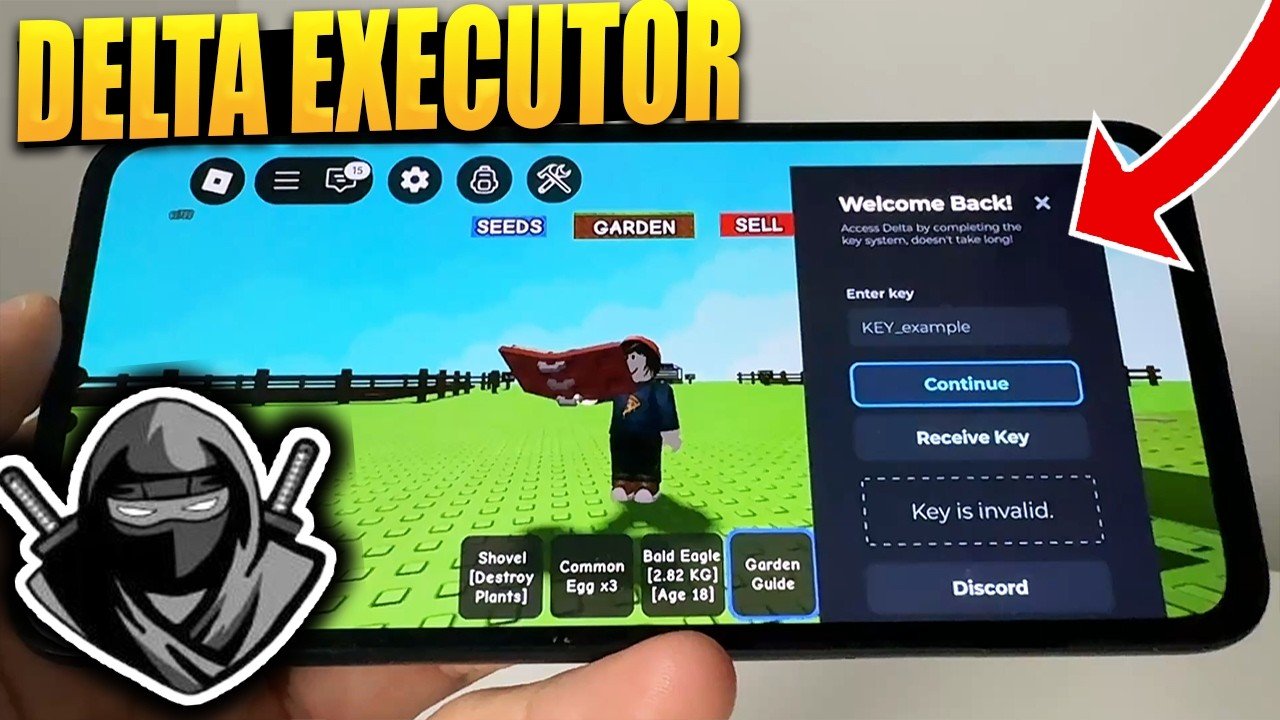
First, launch the Delta Executor application on your device. Upon opening, you will likely be greeted by a screen that looks empty or a notification bar stating that you are “Unverified.” Look for a button that typically says “Get Key,” “Get Access,” or “Verify.” Clicking this button is the trigger. The application will usually freeze for a moment and automatically open your default web browser. If it doesn’t open automatically, the app will provide a URL that you need to copy and paste manually. This redirection leads you to the Linkvertise platform or a similar monetization gateway .
Once you are on the Linkvertise page, you will encounter the most tedious part of the process. You need to complete an “offer.” Do not panic when you see advertisements for VPNs, mobile games, or surveys. You do not need to buy anything or enter real credit card information. Look for the small text that says “Click here if the download doesn’t start” or the button that says “Free Access with Ads.” You may need to click “Allow” for notifications (you can deny these in your browser settings later) or wait for a five-second timer. After completing these steps, the page will reveal a long string of text. That string is your unique key. Copy it, return to Delta, and paste it into the input box.
Troubleshooting Common Key Errors and Failures
It is incredibly frustrating to follow all the instructions perfectly only to be hit with an error message. Perhaps the most common issue users face is the “Invalid Key” notification. This usually happens because of a simple copy-paste error. The keys are case-sensitive and often include tricky characters like underscores or hyphens. Ensure you haven’t accidentally captured an extra space before or after the code. If the problem persists, the key may have expired. Some Linkvertise tasks take a few minutes to complete, and if you were slow, a short-term key might have timed out before you returned to the app.
Another frequent problem involves the browser redirect loop. Sometimes, clicking “Get Key” inside the executor leads to a broken page or a “403 Forbidden” error. This is often an IP or regional block. The key distribution networks sometimes block VPNs or specific countries due to high bot traffic. If you encounter this, try switching your network—if you are on Wi-Fi, switch to mobile data, or vice versa. Additionally, clearing your browser’s cache and cookies can resolve redirect loops. Make sure your browser is up to date; older browser versions often fail to render the JavaScript required by the verification walls. If all else fails, the Delta servers might be under maintenance, as updates to the key system often coincide with new executor versions .
The Risks and Rewards of Using Delta Executor
Before you rush off to paste that Delta Executor key into your app, it is crucial to look at the bigger picture. Using any third-party executor on Roblox is a violation of the platform’s Terms of Service. Roblox has a sophisticated anti-cheat system that actively scans for injected DLLs and abnormal memory readings. While Delta boasts “bypass protection” and “dynamic memory allocation” to stay undetected, no tool is 100% safe forever. The risk of a ban wave is always present. If you are using your main Roblox account, one detection could result in a temporary suspension or, in severe cases, a permanent termination of your account.
Furthermore, safety extends beyond just your Roblox account. The internet is rife with fake versions of Delta Executor. Scammers love popular software because they know users are searching for it desperately. If you download an APK or EXE file from a random YouTube video or a shady Discord server, you are risking malware infection. These malicious files can steal your Roblox login cookies, inject keyloggers to steal your passwords, or even use your computer to mine cryptocurrency without your knowledge. Always ensure you are getting the executor from the verified official sources or trusted GitHub repositories that allow you to inspect the code .
Delta Executor Key for Mobile: Android and iOS Specifics
The mobile versions of Delta have exploded in popularity because they allow users to exploit without needing a gaming PC. However, obtaining a Delta Executor key on mobile involves a few platform-specific quirks. For Android users, the process is generally the smoothest. After installing the APK (remembering to enable “Install from Unknown Sources”), the app will redirect you to the browser just like the PC version. Android’s multitasking makes it easy to switch between the browser to copy the key and the Delta app to paste it. Just be wary of mobile ads that try to trick you into downloading “speed booster” apps—keep clicking the tiny “Skip Ad” button.
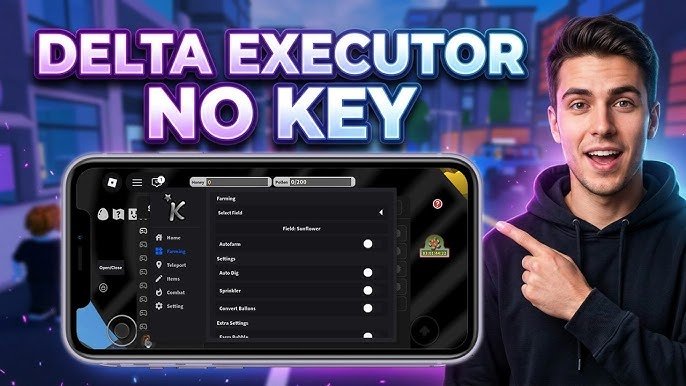
iOS users have a historically harder road. Apple’s closed ecosystem, known as “walled garden,” actively tries to prevent sideloading apps like Delta. While versions of Delta exist for iPhone and iPad, they often require methods like ESign, DNS profiles, or using third-party app stores like Scarlet or AltStore . Sometimes, iOS versions of Delta are marketed as “Keyless,” meaning the developer has removed the verification step entirely for that specific build. However, if you are using a standard iOS build that requires a key, be prepared for Safari to fight you. Ensure that “Block Pop-ups” is turned off in your Safari settings, otherwise the Linkvertise page won’t function correctly and you won’t be able to retrieve your code.
Why the Key Might Be Down and How to Check Server Status
There will inevitably come a day when you try to generate a new key, but the executor tells you the “Key System is Offline.” This is usually not a problem on your end. Delta, like many executors, relies on a remote server to validate the keys you input. If their validation server crashes or is undergoing maintenance, even a valid key will be rejected. Additionally, after a major Roblox update, the executor itself might break. The developers need time to reverse-engineer the new patches. During this “patching window,” the key system is often temporarily disabled to prevent users from flooding the servers with error reports.
To verify if the issue is widespread, you should check the official Discord server or the Delta community forums. Community hubs like Sych Hub or the official Delta Discord are the best places to find announcements. Look for pinned messages or channels labeled “#status” or “#announcements.” If you see dozens of other users complaining about the key system, you simply have to wait. Trying to reinstall the executor repeatedly during this time will not help; it will only risk corrupting your existing files. Usually, the developers are quick to resolve these issues, often releasing a hotfix within 24 to 48 hours .
Future of the Key System: What to Expect in Late 2026
The cat-and-mouse game between exploit developers and Roblox is eternal. Looking ahead to the rest of 2026, we can expect the Delta Executor key system to evolve. Recently, there has been a shift toward more “Keyless” builds, particularly for iOS, as developers experiment with alternative monetization like cryptocurrency mining opt-ins or direct donation tiers . However, for the free-to-use mass market, the Linkvertise-style key is likely here to stay because it provides revenue without requiring users to pull out a credit card.
We are also seeing a geographical shift. Recent updates have introduced region locking for certain APK downloads, specifically restricting access to users in Vietnam and surrounding areas for specific builds . This suggests that the key distribution networks are being refined to comply with local bandwidth costs and legal pressures. For the average user, this means you might need a VPN in the future just to generate a key, even if you don’t need one to use the executor. Keep an eye on official announcements; as anti-cheat systems get smarter, the methods to safely obtain your access key will inevitably become more complex.
Conclusion
Navigating the world of Roblox executors can feel like walking through a maze, and the Delta Executor key is just one of the many walls you have to climb. While the process of clicking through ads and copying codes is tedious, it is the price of admission for a powerful, free tool. Remember that patience is your greatest asset. If a link doesn’t load, try a different browser. If a key says invalid, double-check your spacing. Most importantly, prioritize your digital hygiene—download only from official sources and understand that every time you inject a script, you are accepting a small risk to your Roblox account.
Whether you are using the sleek Python PC edition or the mobile APK on your phone, Delta remains a top contender in the space because of its stability. By understanding exactly how the key verification works, you save yourself hours of frustration and reduce the chance of falling for a scam that asks for your password. Use the tool wisely, respect other players’ experiences, and always keep one eye on the community news for the next update.
Frequently Asked Questions (FAQ)
Q: How long does a Delta Executor key typically last before expiring?
A: Most standard keys generated through the Linkvertise system are designed to last for approximately 24 hours. Once that time period expires, the executor will disconnect from the server, and you will need to repeat the key generation process from scratch. Some older versions or specific beta builds may have keys lasting only 12 hours as a security measure to ensure users are always on the latest patch .
Q: Is it legal to use a Delta Executor key, and can I get banned?
A: Using a Delta Executor key to activate the tool and inject scripts is a direct violation of the Roblox Terms of Service. While the act of generating a key is not illegal, the subsequent use of the executor is against the rules. Roblox employs automatic detection systems. If caught, users face risks ranging from a temporary ban (a few days) to a permanent account termination (IP ban). You should never use an executor on an account you cannot afford to lose .
Q: Why does the key website keep asking me to download apps on my phone?
A: This is the monetization strategy used by the key distribution network, Linkvertise. To get your free Delta Executor key, the system requires you to complete an “offer” that generates ad revenue. You do not actually need to install the apps. Look for the small gray text that says “Skip” or “Continue without downloading.” Usually, you just need to click the link, wait 5 seconds, and confirm you are not a robot. If you accidentally download an app, simply delete it afterward; it is generally safe bloatware, not a virus.
Q: My Delta Executor key was accepted, but no scripts are working. What now?
A: If your key validated successfully but scripts fail to execute or crash the game, the issue is likely the executor’s DLL compatibility, not the key itself. Roblox may have just released a minor update that broke the injection method. Alternatively, the script you are trying to run might require a higher execution level than Delta currently supports. Check the Delta Discord server to see if other users are reporting the same “script fail” issue. You may need to wait for an executor update, regardless of having a valid key.
Q: I see websites selling Delta Executor keys. Are these legitimate?
A: No. You should never pay money for a Delta Executor key. The official Delta distribution channels provide keys completely for free through the Linkvertise ad platform. Any website or YouTube video asking for a credit card, PayPal payment, or your Roblox login credentials in exchange for an “instant key” is 100% a scam. These scammers either steal your money and run, or they send you malware disguised as a key generator. Stick to the official app’s “Get Key” button to stay safe .